Clear, Verifiable Aircraft Logbook Records
Keep your paper logbooks valid and current while building a clearer digital record of your aircraft’s history.
Upload your existing logbooks, continue making new entries digitally, and preserve every record in a format that is easier to read, review, organize, and retain over time.
AI-Powered Logbook Conversion
Most logbook platforms simply store page images. Our system goes further by using AI technology to convert handwritten logbook pages into readable digital text that can be reviewed, organized, and preserved as part of a structured aircraft record.
That means you are not just saving photos of logbook pages. You are building a usable digital history that is easier to read, search, review, and rely on later.
Handwritten pages in. Clear digital records out.
AI Conversion
Our AI technology converts handwritten logbook pages into readable digital text.
Review
Check and confirm the converted information before it becomes part of the record.
Preserve
Store each verified entry as part of a permanent, cryptographically sealed historical record.
Simple Process
Start with your existing records, then continue your logbooks in the format that works best for you.
Scan
Use our scanner app to capture your existing paper logbooks and supporting records.
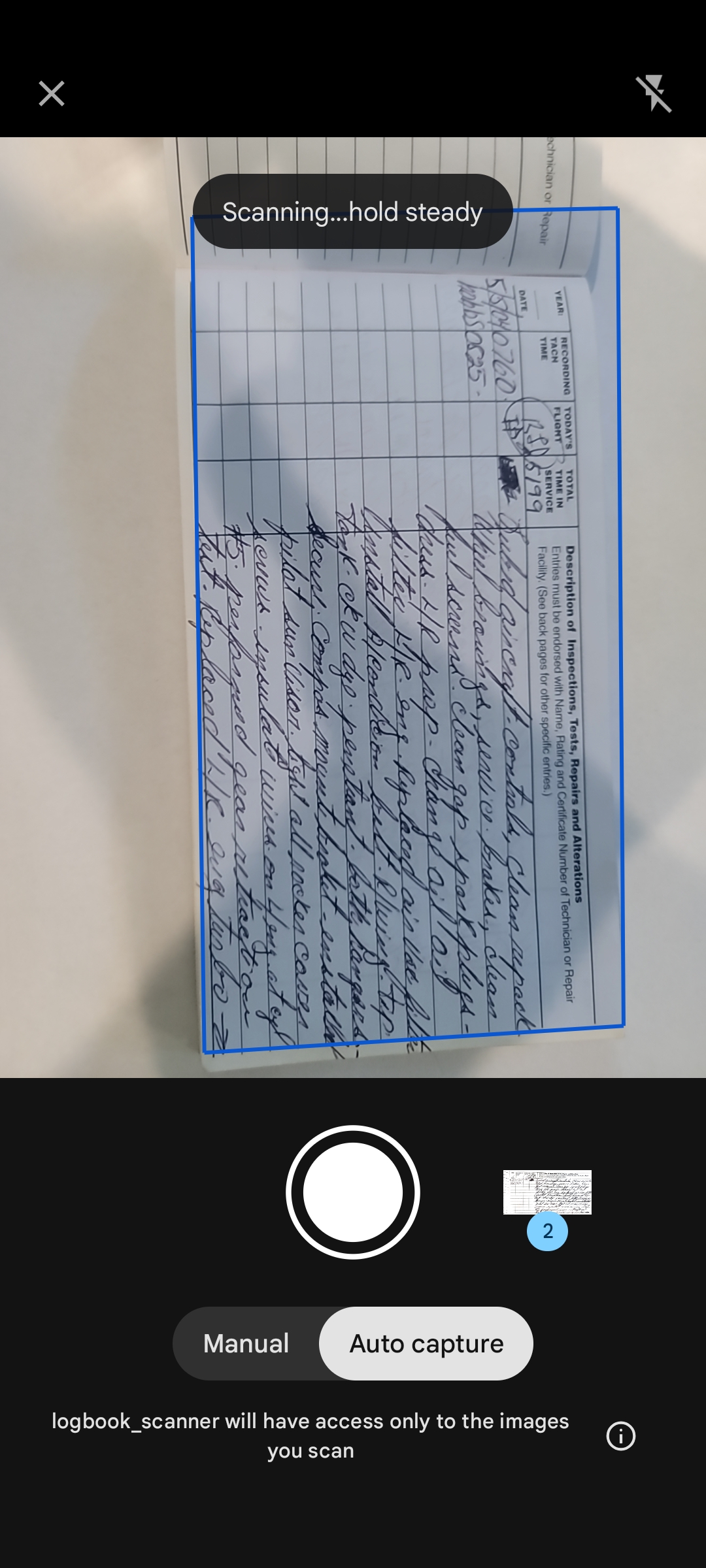
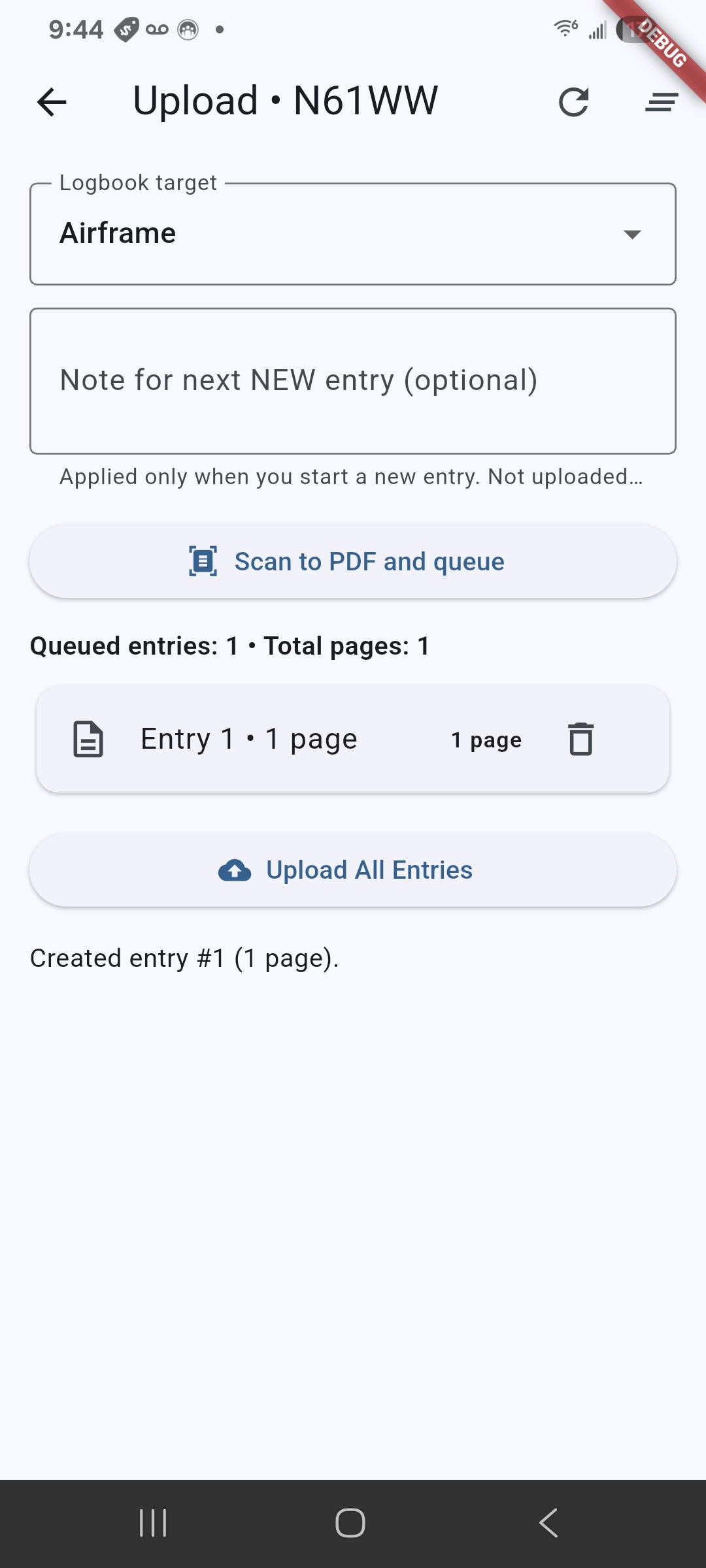
Upload
Upload records through our guided process and tie them to the correct aircraft.
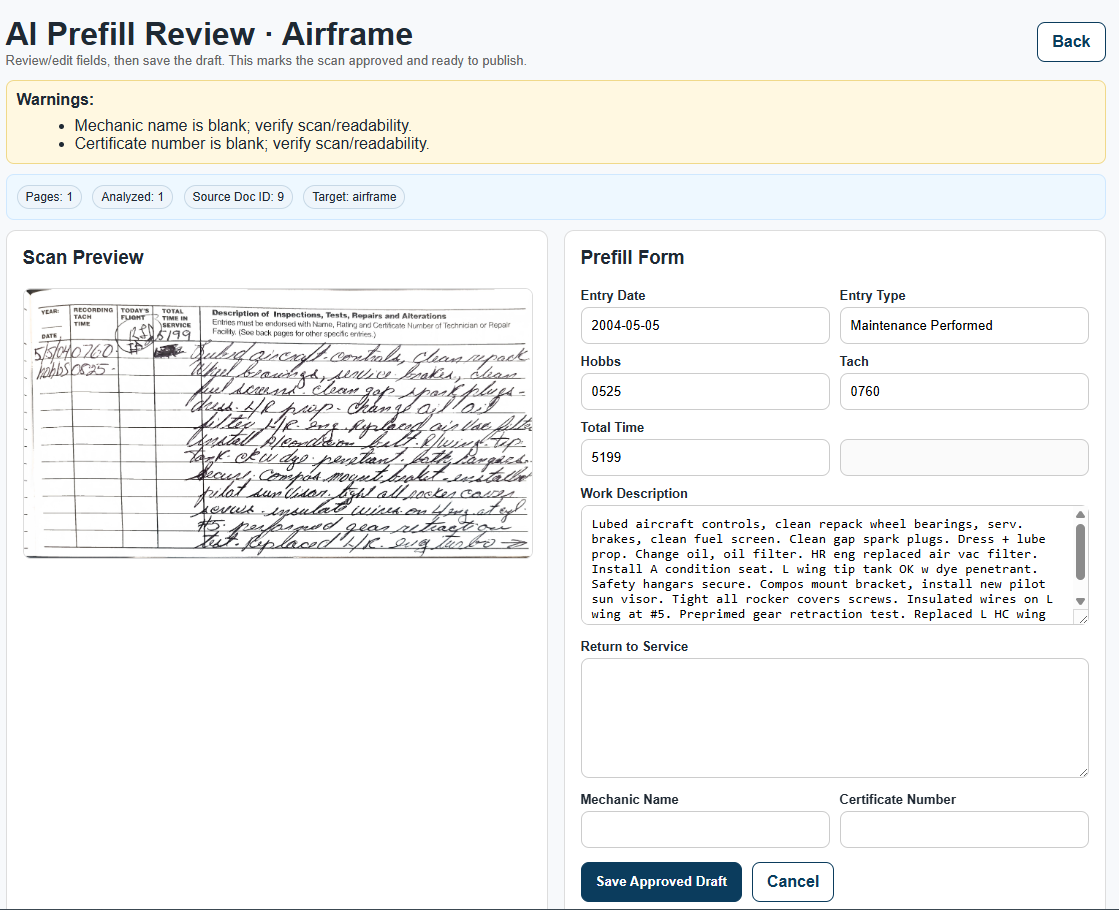
Convert
Our AI technology converts handwritten logbook pages into readable digital text for review.
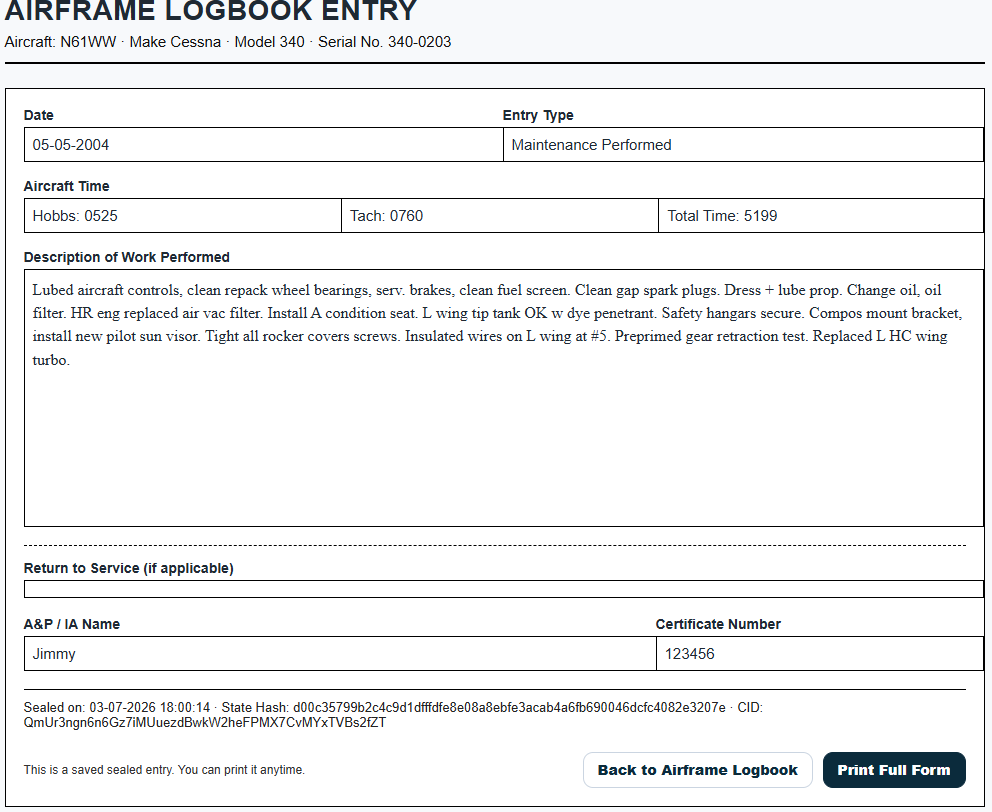
Seal
Each digital entry is time stamped and cryptographically sealed as part of the record history.
Print or Store
Print peel-and-stick labels for paper logbooks or maintain the entry as part of the digital archive.
How It Works
1. Scan and upload your existing paper logbooks
Start by using our scanner app to capture and upload your current airframe, engine, propeller, and supporting logbook records through our guided step-by-step process.
Our scanner app gives users a modern and practical way to bring paper logbooks into a digital workflow. It helps you capture pages cleanly, organize them as you go, and upload them into the correct aircraft record.
This creates a secure digital backup of your existing records so they are preserved, organized, and tied to the correct aircraft.
2. AI converts handwritten records into readable digital text
Our process is designed to do more than simply store page images. Uploaded handwritten logbook pages are converted using AI technology into readable digital text so the information becomes more useful, more reviewable, and easier to work with over time.
Instead of ending up with nothing more than a picture archive of old log pages, you build a digital record that can actually be reviewed, organized, and preserved in a more practical format.
3. Review and continue making new entries your way
From that point forward, you can continue using the service in whatever way best fits your workflow.
- Create new logbook entries directly in our digital entry forms
- Scan and upload newly written logbook entries through our scanner app
- Maintain supporting records alongside the aircraft history
- Review converted text before keeping it as part of the digital record
- Print approved entries onto peel-and-stick labels for placement into the paper logbook
4. Preserve each entry as a permanent record
Each digital entry is created as a clear, typed historical record that is:
- Readable and reviewable
- Time stamped
- Cryptographically sealed
- Preserved as originally recorded
- Stored as part of the aircraft’s ongoing history
This helps reduce confusion later when records are reviewed by mechanics, owners, buyers, inspectors, or other parties who were not present when the work was originally performed.
Why This Is Different
Many systems stop at storing images of logbook pages. That may create a backup, but it does not necessarily create a record that is easier to use.
Typical Image-Only Storage
- Page photos are stored as images
- Handwriting still has to be interpreted later
- Reviewers must read the original page image
- Useful as a backup, but limited as a working record
General Aviation Logbook
- AI converts handwritten pages into readable digital text
- Users can review the scan and the converted version together
- Entries can be reviewed in a cleaner format
- New records can continue digitally going forward
- Each record becomes part of a cryptographically sealed history
Your Options After Uploading
After your initial logbooks are uploaded, you can continue using the platform in different ways depending on your needs.
Use it as a secure archive
Keep a protected digital backup of your existing paper logbooks and supporting records so nothing is lost and everything stays organized.
Continue logbooks digitally
Create future entries in a typed, consistent format that is easier to read and review than handwritten entries.
Scan and upload new entries
For workflows that still begin on paper, you can scan and upload new entries through our scanner app so the digital history stays current.
Convert older handwritten records into usable digital text
Bring older handwritten pages into a format that is easier to review and preserve, instead of leaving them as image-only records.
View the original scan together with the converted version
Review both the original scanned page and the converted digital record together so you keep the source image visible while gaining the clarity of readable text.
Print and place into your paper logbook
Where appropriate, digital entries can be printed on peel-and-stick labels and placed directly into the physical logbook so your paper records remain current as well.
Keep records private or share selected records
Your records remain private by default. You control what is kept internal and what is shared or verified.
Why Continue Logbooks Digitally
Aircraft logbooks are often reviewed years after an entry was made. By that time, the people involved in the original work may no longer be available to explain what was written or intended.
That is where clarity matters.
A typed, time-stamped, digitally preserved entry creates a cleaner historical record and reduces the chance of misreading, uncertainty, or later interpretation problems.
This is not about rewriting history. It is about preserving future history more clearly.
Paper Logbooks Remain Valid
This system does not replace your paper logbooks, and it does not alter previously recorded entries.
Your paper logbooks remain the primary record.
Our service gives you a way to preserve what already exists, continue future entries in a clearer format, maintain better organization, and support long-term record integrity.
Privacy and Control
Uploaded documents and digital logbook entries are private by default. Nothing is made public unless you choose to share or verify specific records.
The system is designed for owners and operators who want better control, better clarity, and stronger long-term preservation of their aircraft records.